
TM SIM Registration Online Link 2026
TM SIM registration is required under Philippine regulations for both new and existing users. Simply click the button below to register your TM SIM.

TM SIM registration can be completed online through Globe’s official SIM registration platform or through the GlobeOne app. TM is a Globe brand, so TM subscribers use Globe’s SIM registration system. You can register online through the official Globe SIM registration portal or GlobeOne app.
Understanding the Law: Republic Act No. 11934
Republic Act No. 11934, or the SIM Registration Act, requires SIM users to register their SIMs before activation. The law also provides penalties for specific violations, including providing false information or using fraudulent identification documents.
Who Must Register Their TM SIM in 2026?
New TM SIM Users
New TM subscribers must register their SIM before it can be activated and used for calls, texts, or mobile data. Register through Globe’s official SIM registration portal, GlobeOne app, or an available Globe retail channel.
Minors (Under 18)
For users under 18, the SIM must be registered under the name of the minor’s parent or legal guardian, who must provide consent and complete the registration requirements.
Seniors and Persons with Disabilities (PWDs)
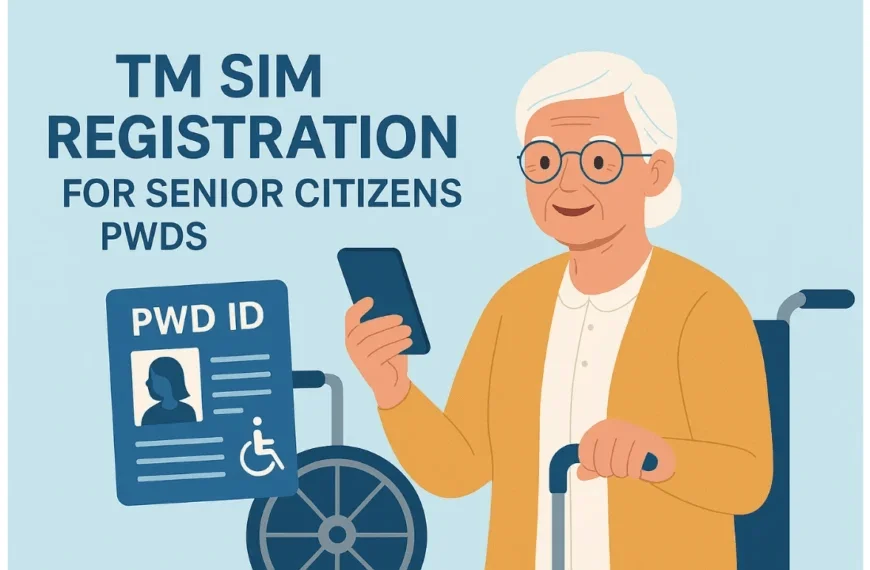
Seniors and PWDs must register their TM SIMs to avoid service cuts. Globe stores offer free help with priority lanes. Bring a senior or PWD ID. It’s easy and keeps your family’s calls active.

Foreign Nationals/Tourists
A tourist SIM registration is temporarily valid for 30 days and is automatically deactivated after the validity period. Tourists need a passport, proof of address in the Philippines, and a return ticket or other ticket showing departure from the Philippines.
For other foreign nationals:
Foreign nationals with other visa types may need additional documents, such as an Alien Employment Permit, ACR I-Card, or school registration/ID, depending on their status.

Corporations/Businesses
For companies and other juridical entities, registration may require the entity’s certificate of registration and documents identifying the authorized representative, along with the representative’s valid government-issued ID. Additional documents may depend on the entity and registration channel.

TM SIM Registration Methods
Choose a method to finish the TM SIM Register fast. The online portal is quickest for most users. Follow these detailed steps to register your TM SIM. Each method includes notes for success.
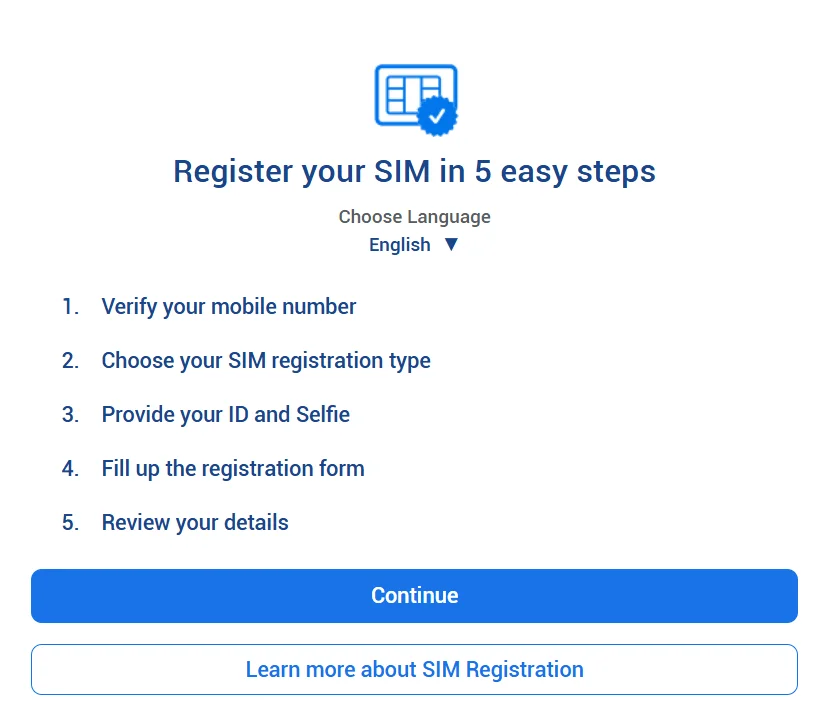
Method 1: Register TM SIM Via Online Portal
The registration process can usually be completed in a few minutes if you have your ID and other required information ready.
Notes: Use Chrome or Firefox; ensure HTTPS for security. Save screenshots for proof.

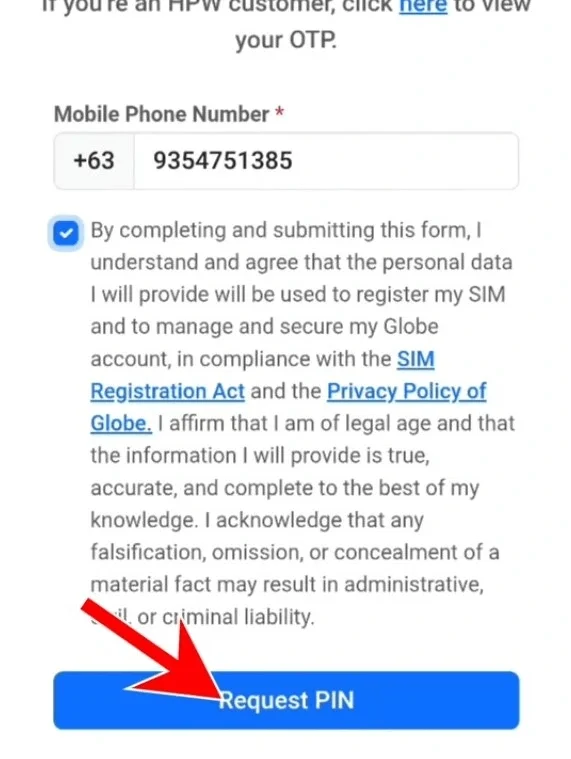
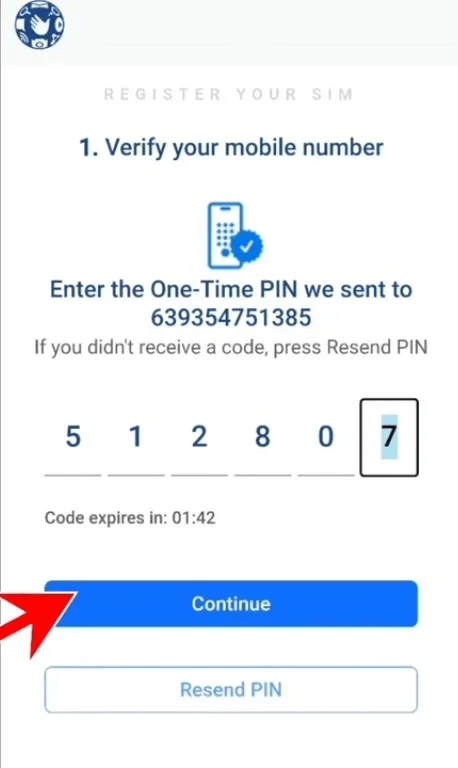
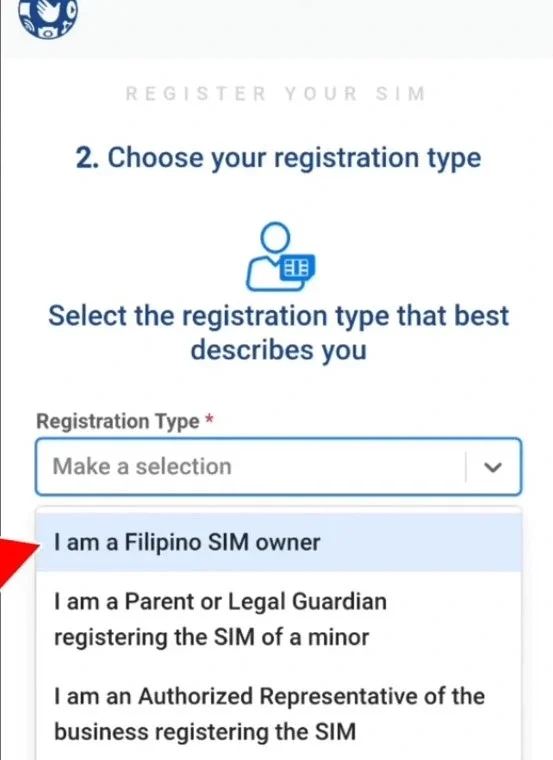
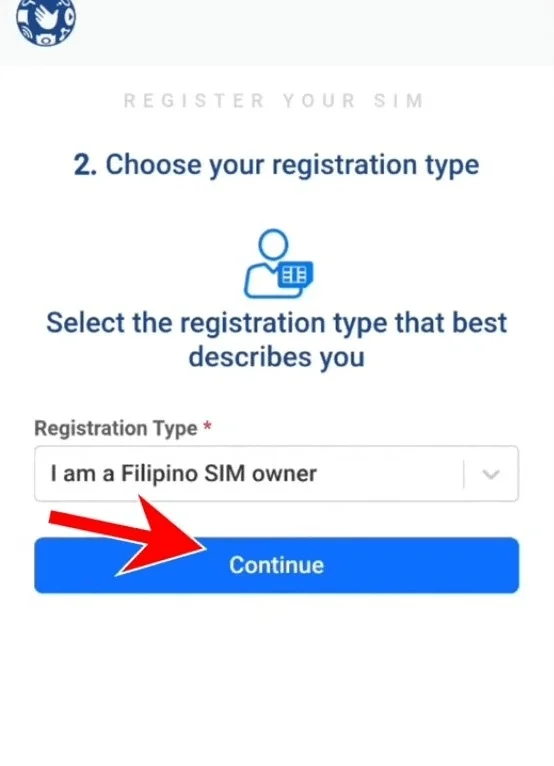
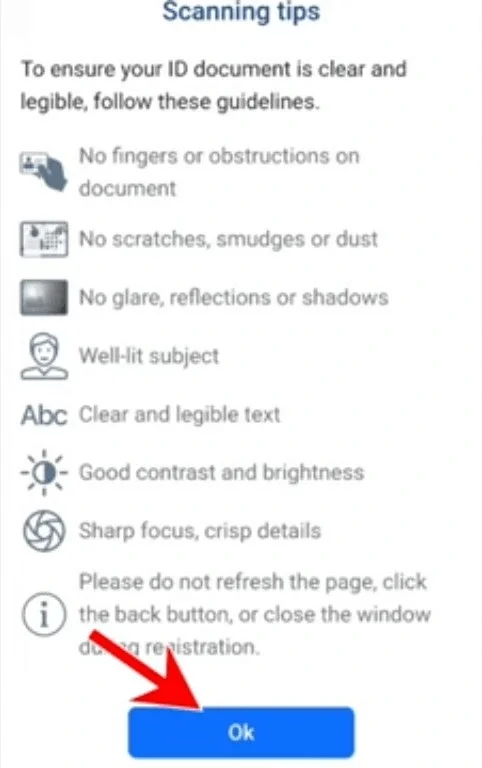

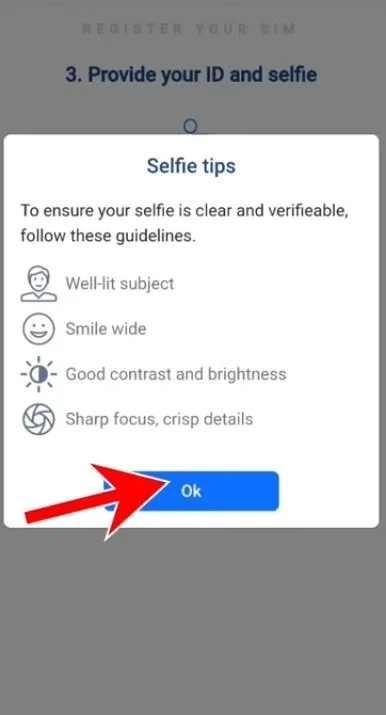
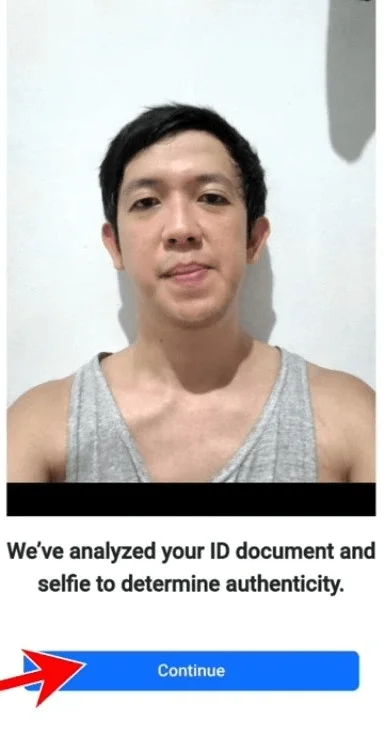
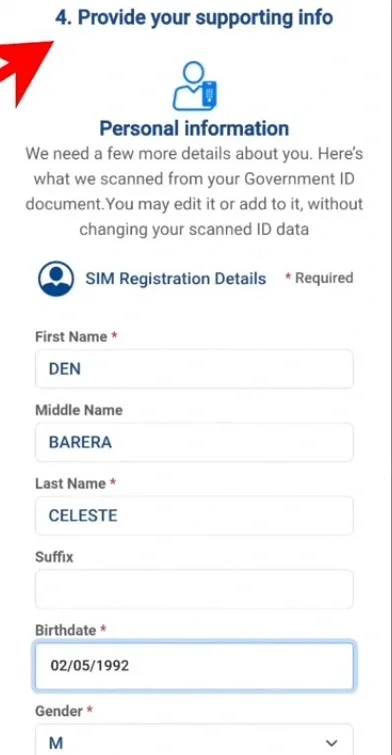
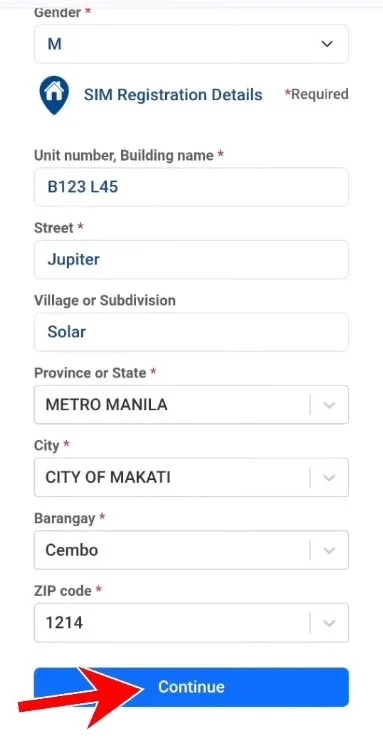
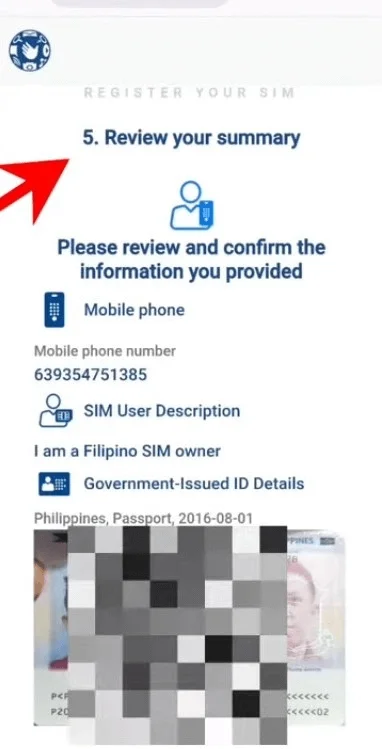
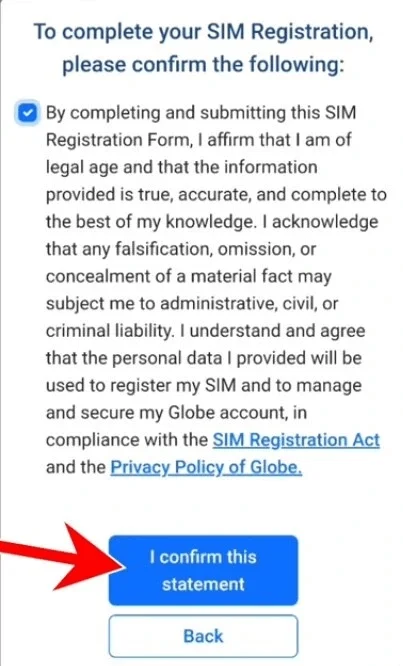
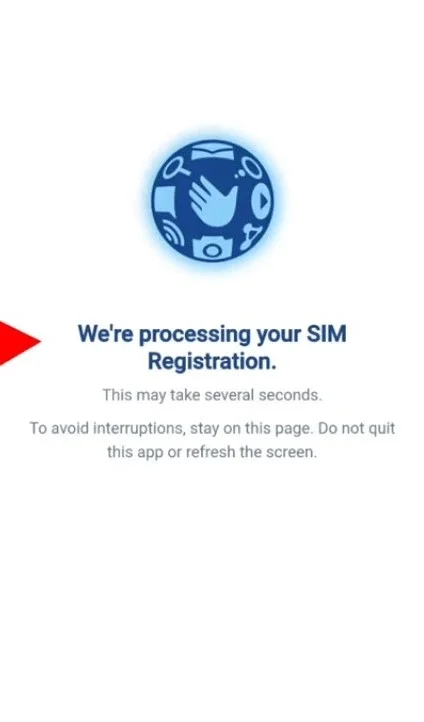
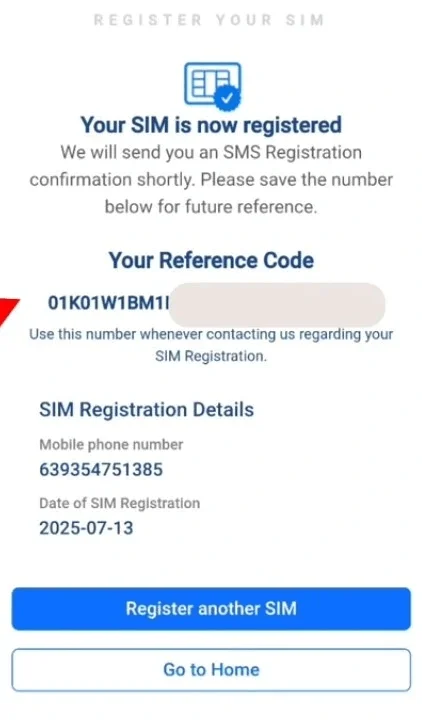
Note: Always use the official link to stay safe from scams. No fees; if rejected, fix ID clarity and retry. For multiple SIMs, repeat the process.
Method 2: Register Via GlobeOne App
GlobeOne is a mobile-based option for registering your TM SIM. You’ll need an internet connection to access the app and submit your registration details and documents.
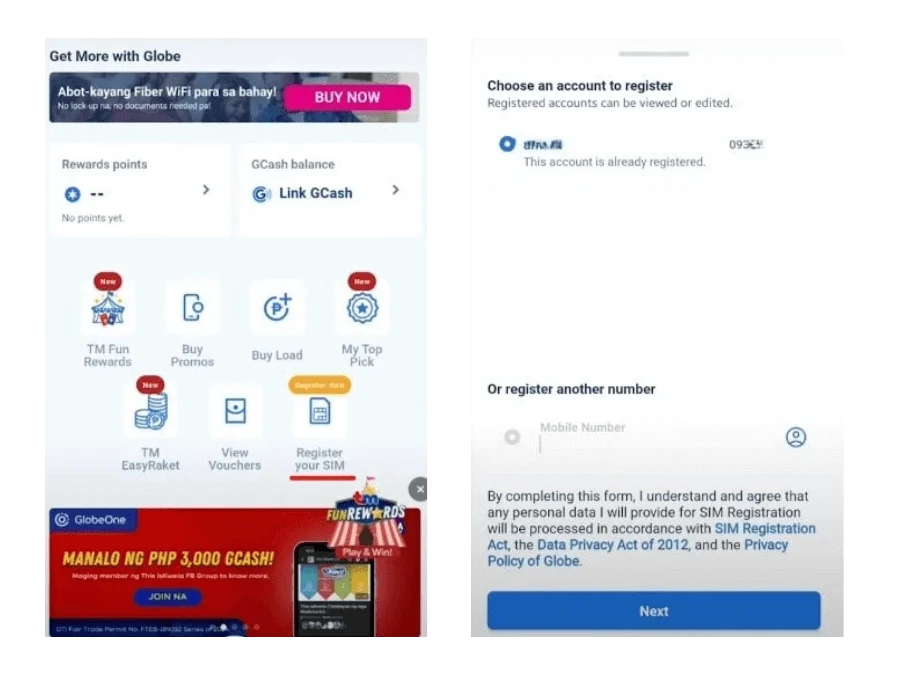
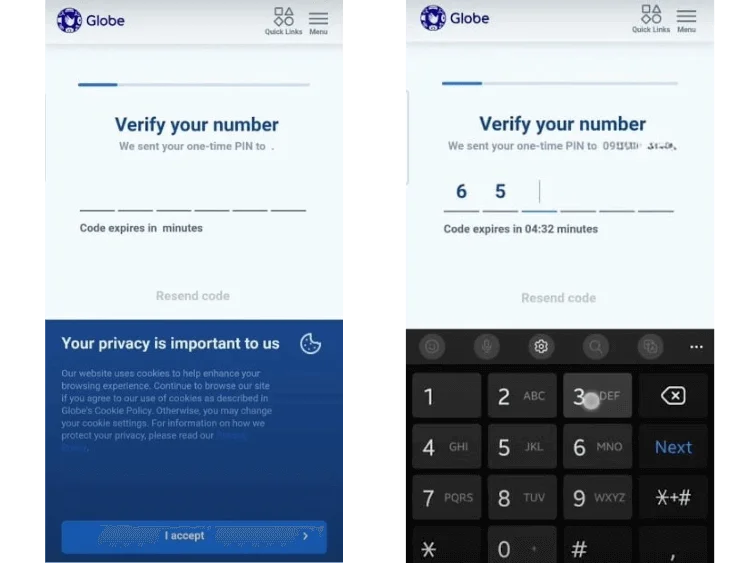
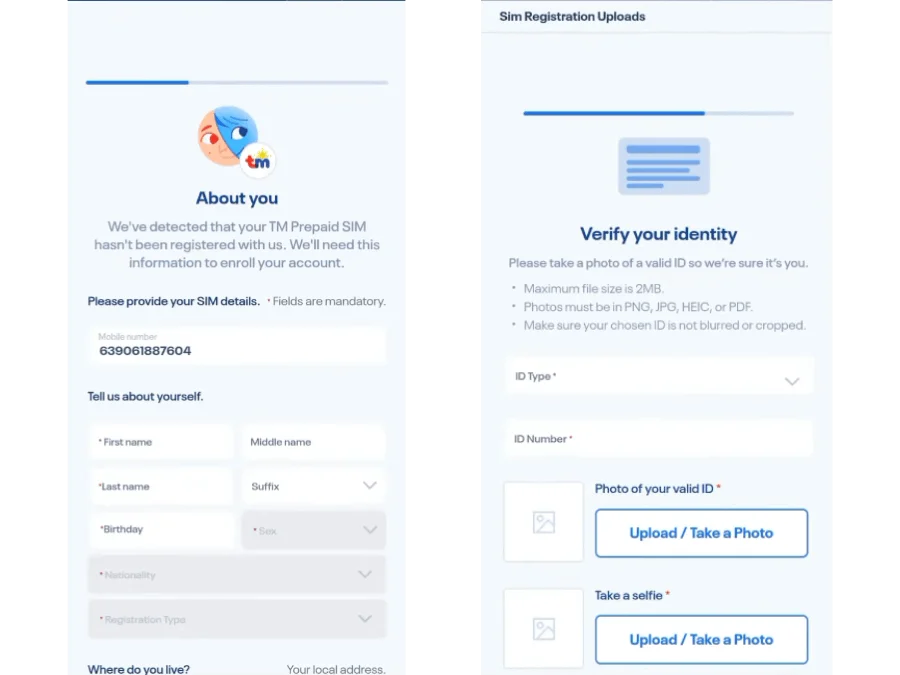
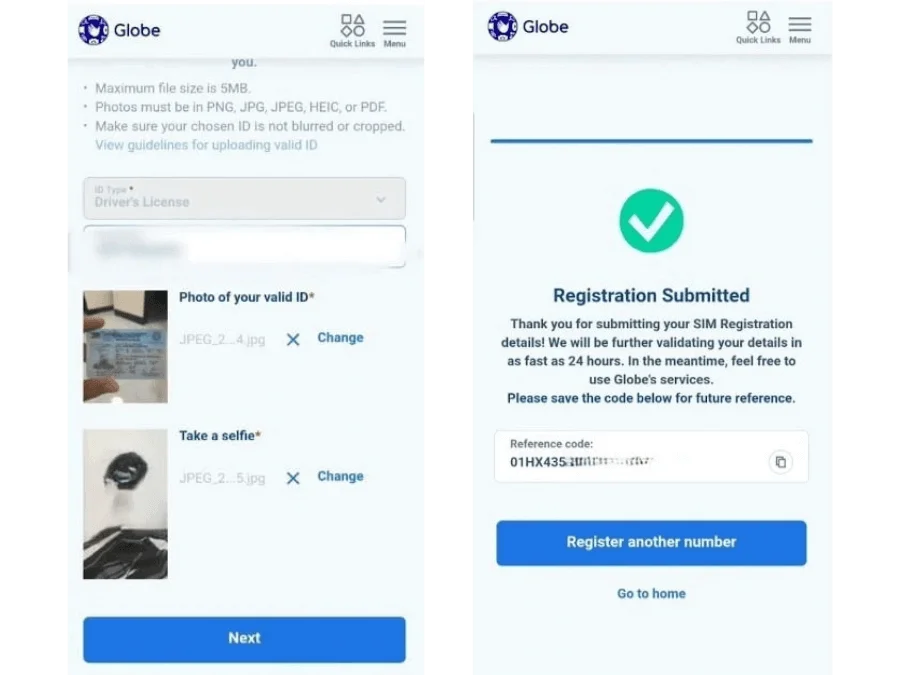
Note: If the app crashes, clear the cache or update the app. For minors, use a guardian account. Check the status on the home screen after.
Method 3: In-Store TM Registration
A Globe representative can assist you with the registration process. Bring your TM SIM and a valid government-issued ID, and follow the instructions provided at the store.

Tips for Successful TM SIM Registration
Make SIM card registration smooth with these practical tips to avoid delays and issues.
Common Preparation Hacks
Security Tips for TM SIM Users
How to Update or Correct Registration Details
Note: Follow these tips to complete the TM SIM reg and keep your SIM secure.
Troubleshooting TM SIM Registration Errors
Having trouble registering your TM SIM? Use these troubleshooting steps to resolve common issues.
OTP Not Received or Delayed
If you don’t receive your TM SIM registration OTP, first check that your SIM has signal, wait a few minutes, and request a new OTP. Avoid repeatedly requesting OTPs in quick succession.
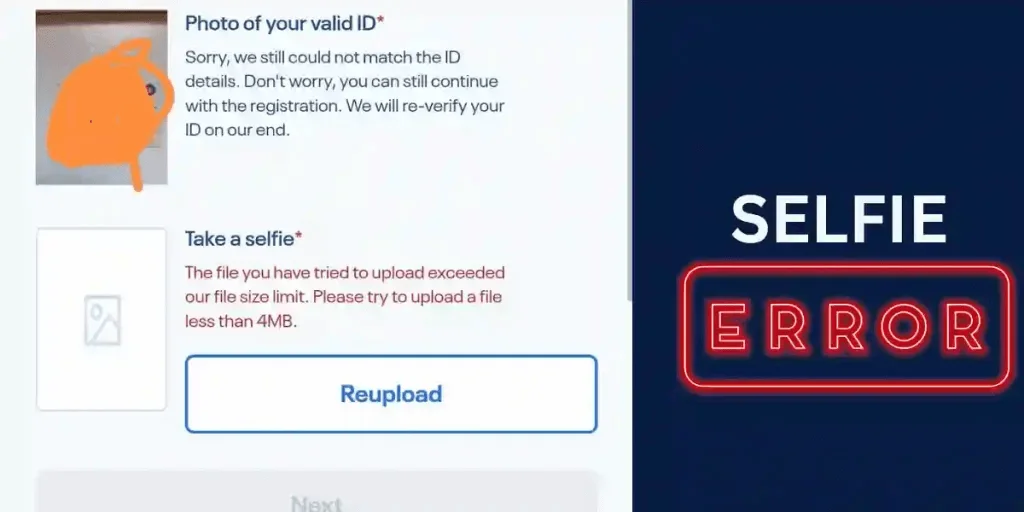
Invalid ID or Selfie Rejection
If the ID or selfie is rejected, follow these steps to resolve the issue.
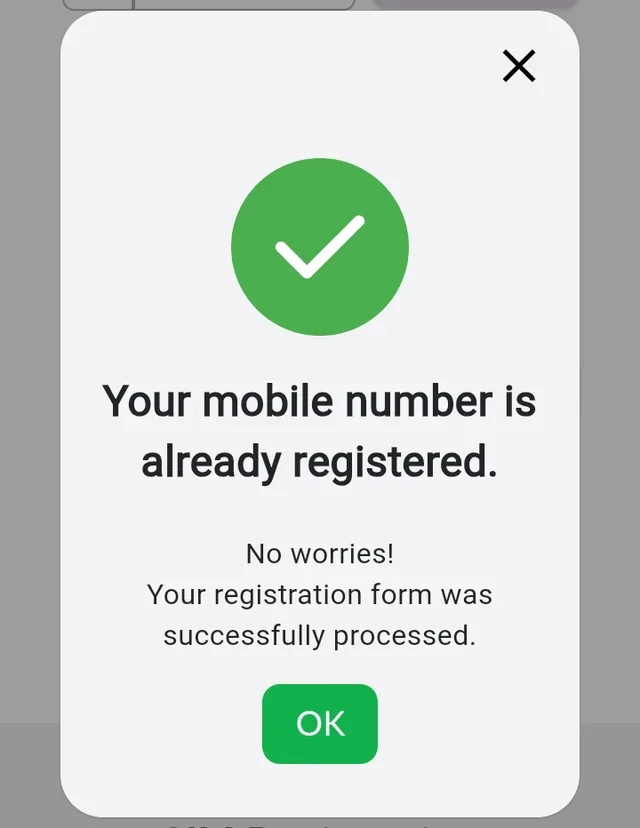
SIM Already Registered Error
If your TM SIM shows as already registered but the details are incorrect or the SIM belongs to you, contact Globe support or visit a Globe store with your valid ID and registration details for assistance.
App/Portal Crash or Timeout
If the app or portal crashes, use these steps to continue.

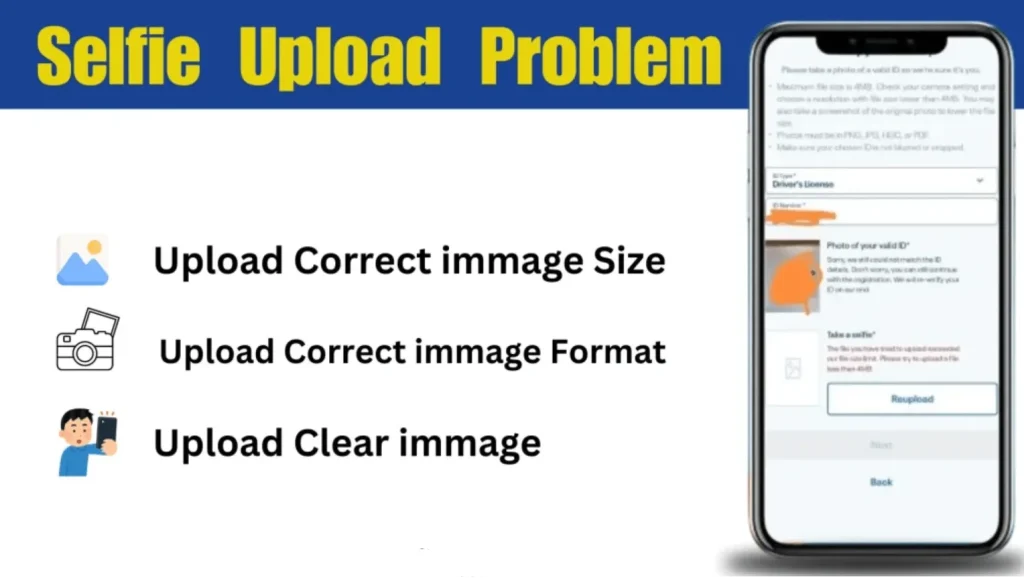
Upload Fails or Invalid Details
If uploads fail or details are invalid, correct them with these steps.
SIM Blocked/Rejected: How to Fix
If the SIM is blocked or rejected, follow these steps quickly.
TM SIM Registration Requirements
Get your ID, phone, and details ready for a fast TM SIM Registration. Missing anything can cause delays or rejections. This guide breaks down everything you need for a smooth SIM card registration TM in 2026. Start prepared to avoid hassle! And if you ever plan to switch to a digital SIM, you can also check how to convert your physical TM SIM to TM eSIM.
Basic Requirements
Get these ready for a smooth TM SIM registration process, whether online, via app, or in-store.
| Requirement | Details | Pro Tip |
|---|---|---|
| Active TM SIM Number | 11-digit number (e.g., 0906XXXXXXX) with an OTP signal. | Insert the SIM in the phone before starting. |
| Valid Government-Issued ID | Passport, driver’s license, SSS/GSIS, voter’s ID; must match personal info. | Use original ID, not photocopies. |
| Clear Selfie Photo | Live photo, no filters, hats, glasses, or masks; matches ID. | Take in bright light to avoid rejection. |
| Personal Details | Full name, birth date, address, and gender must match the ID exactly. | Double-check spelling before submission. |
| File Formats | ID and selfie in JPG, PNG, or PDF | Compress files if too large. |
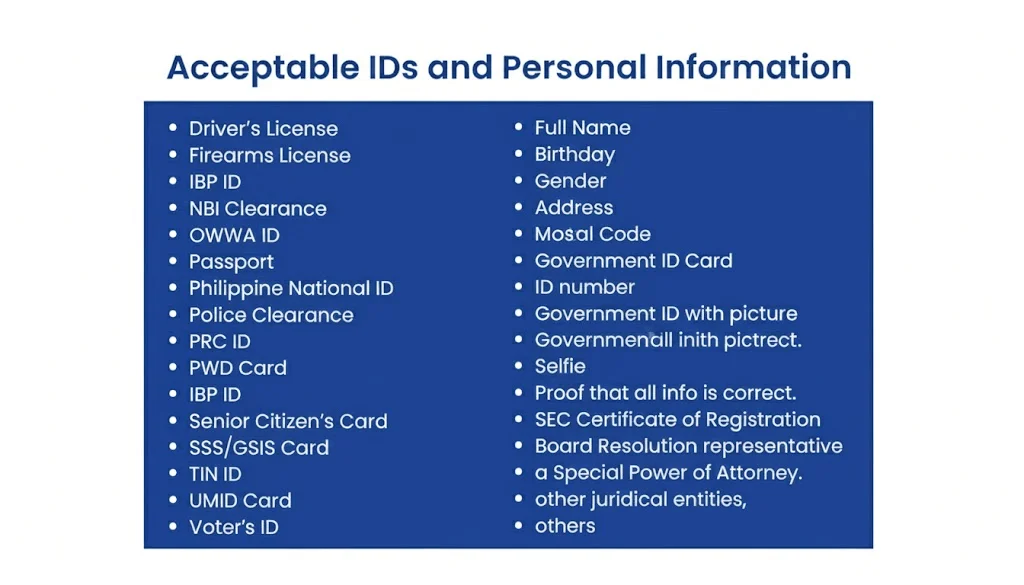
Acceptable Valid IDs for TM SIM Registration
RA 11934 allows several valid government-issued IDs with a photo for SIM registration. Globe may also specify which documents are accepted through its current registration process
| Accepted ID | Notes |
|---|---|
| Passport | Must be valid and clearly readable |
| Driver’s License | Use a clear photo of the ID |
| National ID (PhilID) | PVC, paper, or digital versions may be accepted |
| BIR / TIN ID | Must show your identifying details clearly |
| UMID Card | Valid government-issued identification |
| SSS ID | Make sure the details are readable |
| PRC ID | Valid professional identification |
| PhilPost Postal ID | Must be valid and clear |
| Voter’s ID | Accepted for SIM registration |
| PhilHealth ID | Accepted government-issued ID |
| NBI Clearance | Listed among accepted identification documents |
| OWWA ID | Accepted for SIM registration |
| Senior Citizen ID | May be used where applicable |
Selfie Requirements
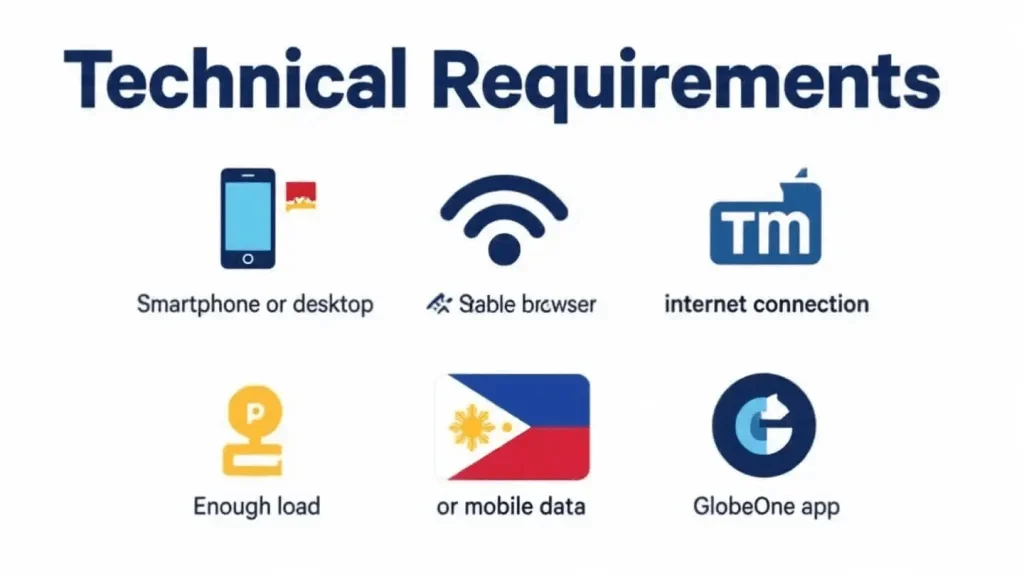
Technical Requirements (For Online Registration)
Get these tech basics ready for a fast SIM card registration process online or via the GlobeOne app.
What Not to Submit
Follow these steps to register your SIM card quickly and keep your number active.
Special Requirements by User Type
Some users have additional requirements. Here’s what minors, foreign nationals, PWDs, seniors, and businesses may need.
For Foreign Nationals/Tourists
For Minors

For Seniors/PWDs
For Companies/Corporations

How to Check If Your TM SIM is Registered
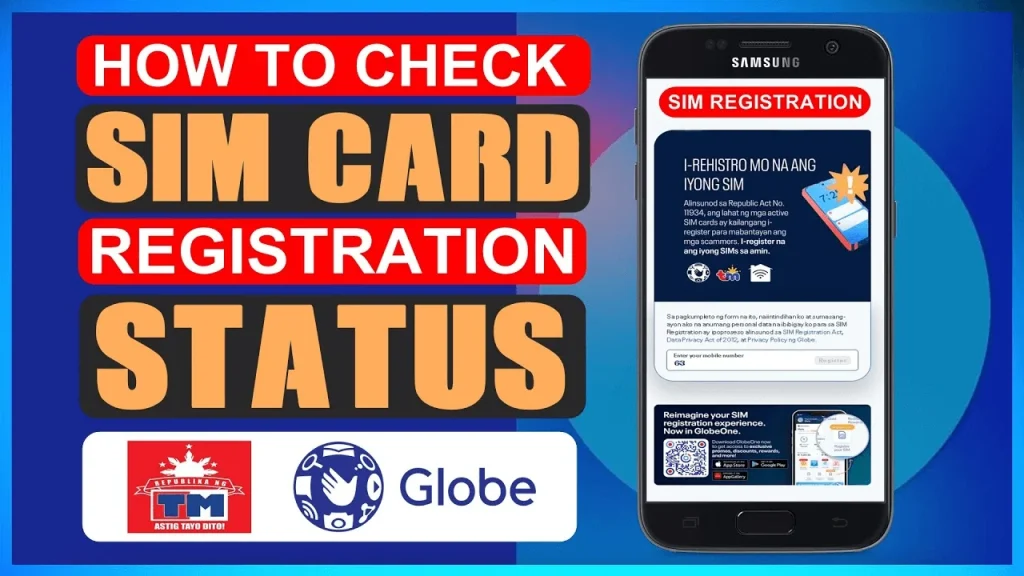
Verify your SIM card registration TM status to ensure your TM SIM is active and compliant in 2026. Follow these methods to check quickly.
Method 1: Via GlobeOne App
If you need to check registration, use these steps in the GlobeOne app.
Method 2: Via Online Portal
If you want to verify online, follow these steps on the Globe portal.
Method 3: Contact Globe/TM Support
If you need help checking the status, follow these steps to contact support.
Method 4: Visit a Globe Store
If you prefer in-person help, verify status with these steps.
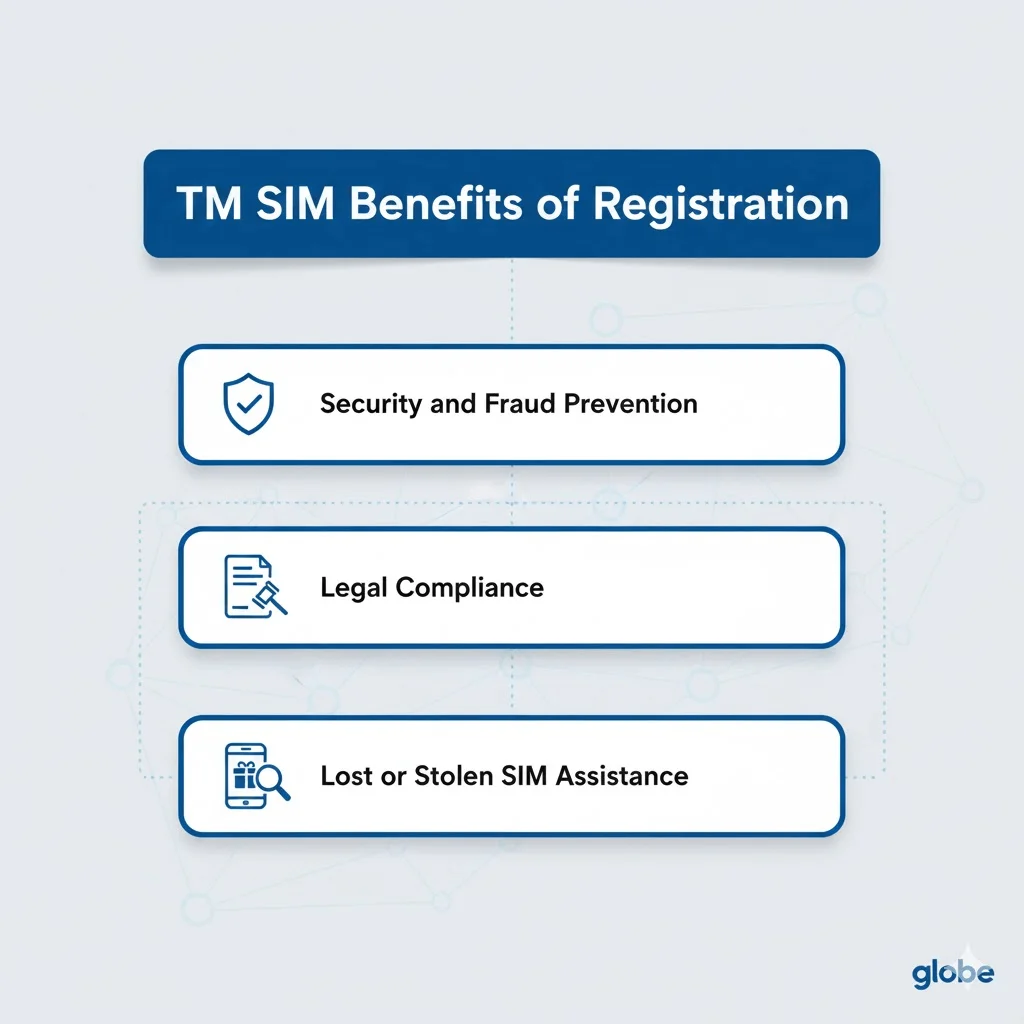
Benefits of Registering Your TM SIM
Want to switch to TM while keeping your existing number? See our complete TM Mobile Number Portability (MNP) guide.
Related Articles









What to Do If You Lose Your Registered TM SIM
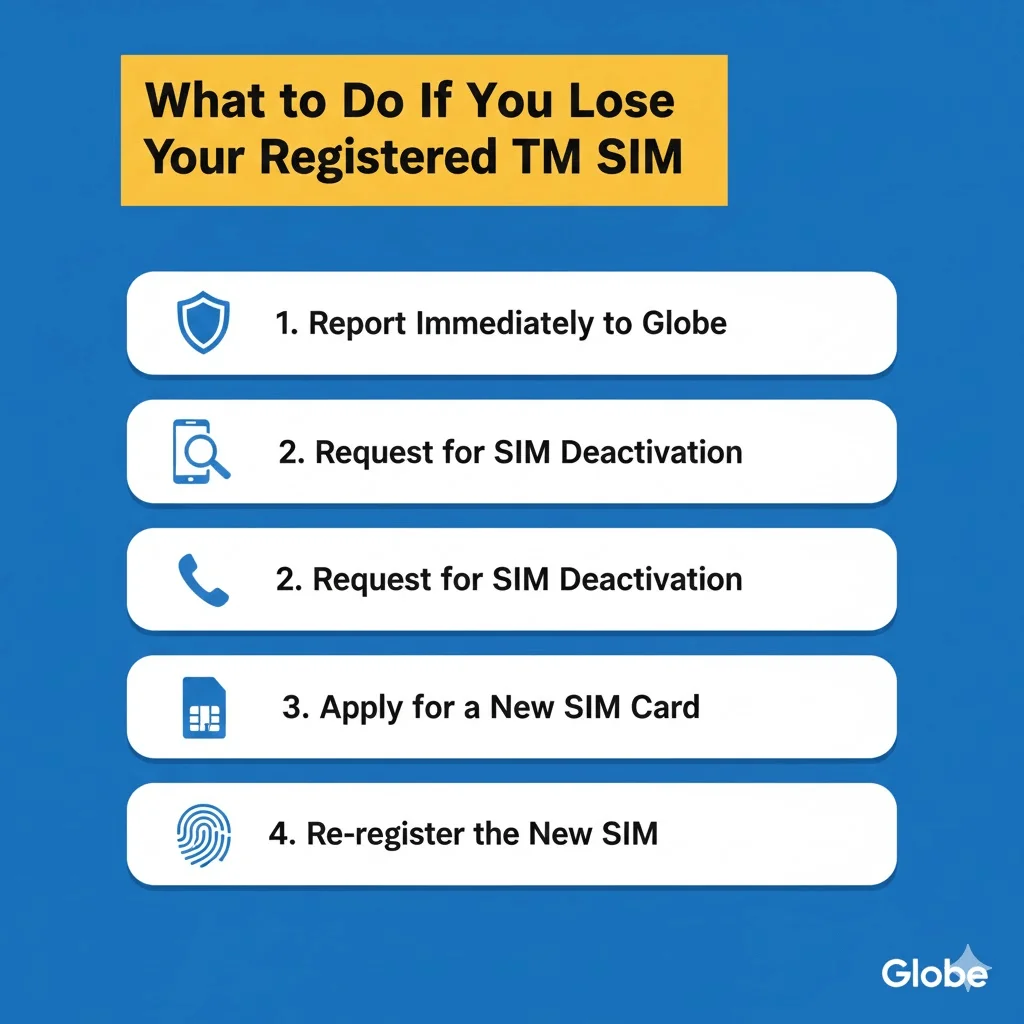
To stay connected in 2026, act fast if you lose your registered TM SIM to avoid service gaps. A lost SIM disrupts calls, texts, and apps like GCash, but you can replace it quickly.
Follow these steps to report, replace, and re-register your TM SIM in accordance with RA 11934. Stay active with simple actions.
Report the Loss
Report your lost TM SIM right away to stop misuse. Call Globe at (02) 7730-1500 or *dial 808 from another TM or Globe number. Give your registered TM number and reference number from your original SIM Registration TM.
If stolen, file a police report and get a blotter copy for records. Report a lost or stolen TM SIM as soon as possible to reduce the risk of unauthorized use. Contact Globe and follow its current replacement or blocking procedure. For immediate assistance with blocking your SIM, recovering your number, or updating your account, contact TM Customer Service for step-by-step support.
Get a Replacement SIM
Visit a Globe store to get a new TM SIM with the same number. Bring a valid ID (e.g., passport, driver’s license) matching your registration details. Show the police blotter if stolen, or an affidavit of loss if needed.
Replacement is free if reported quickly. Staff will issue a new SIM and link it to your number. Test the signal after inserting the SIM.
Re-register the New SIM
If Globe replaces your SIM while keeping the same mobile number, follow the replacement or SIM-assignment instructions provided by Globe. If the new SIM requires registration, complete the registration through the official Globe channel.
Tips to Avoid Issues
Keep your services safe with these tips for a lost TM SIM.
- Report the loss within 24 hours to block unauthorized use.
- Back up contacts and app data like GCash before problems start.
- Visit a Globe store during quiet hours for quick help.
- Check the registration status in the app, or text SIMREG to 8080 after re-registering.
- For support, call NTC at (02) 8924-4010 or Globe’s hotline.
- Keep your new SIM safe to stay connected.
What Happens If You Don’t Register Your SIM?
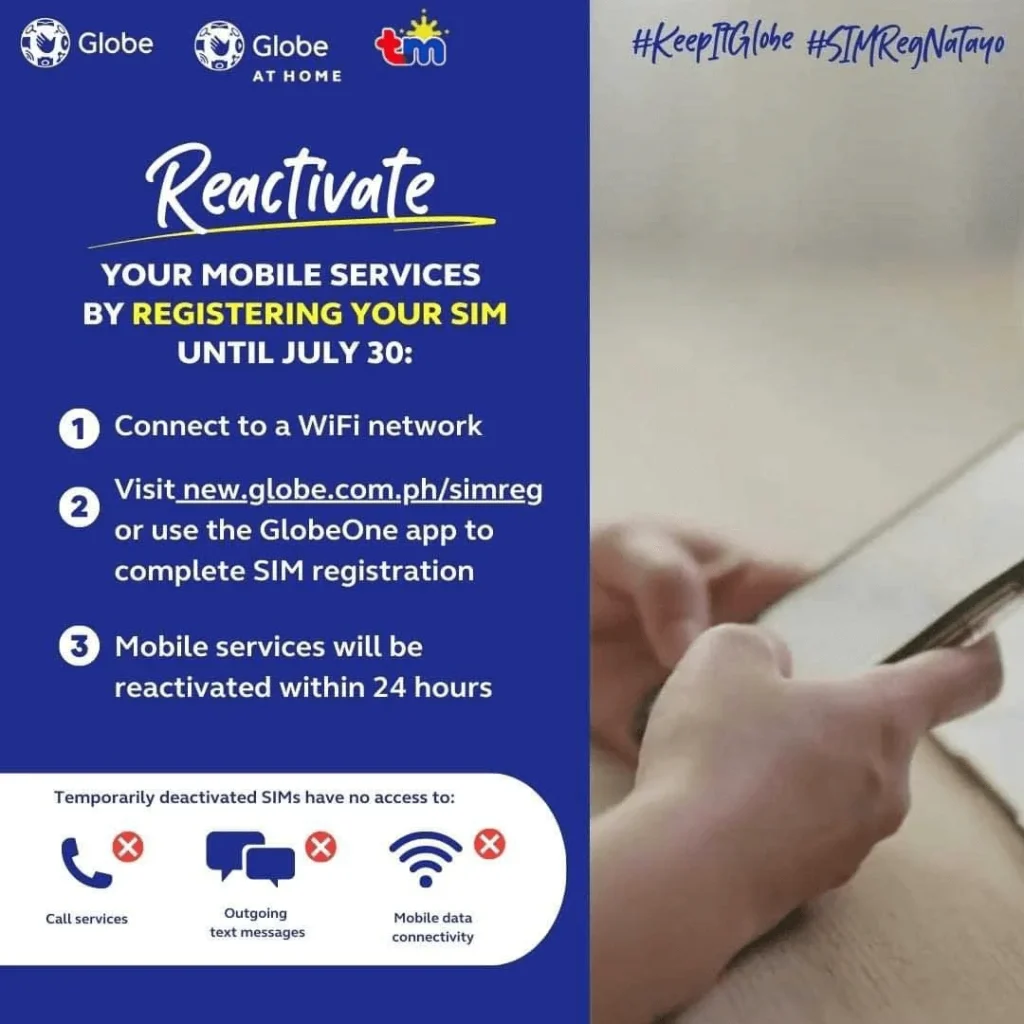
All TM SIM users must comply with the SIM Registration Act. Unregistered SIMs may be deactivated, so users should complete registration through an authorized Globe registration channel.
Penalties for Non-Compliance
Skip TM SIM registration? You face big fines under RA 11934. Using fake IDs or details can result in penalties of ₱100,000 to ₱300,000 or 6 months to 2 years in jail. Stealing or faking a SIM registration means the same penalties.
Telecoms like Globe pay ₱100,000 to ₱1 million for failing to enforce rules. Data privacy breaches by providers or staff cost ₱500,000 to ₱4 million. Register early to dodge these risks.
Reactivation Steps
If a TM SIM is deactivated because it was not registered within the required period, contact Globe to determine whether it can still be reactivated and what registration steps are currently available.